

Do not rewrite a page the moment a traffic chart moves down. First identify what “traffic” means, confirm that the comparison is fair, and separate a visibility change from a visit or business-action change.
For organic search, begin with Google Search Console. Compare equal windows, then check impressions and clicks separately. If impressions fell, investigate demand, coverage, indexing, page mix and search visibility. If impressions stayed similar but clicks fell, inspect selection signals such as CTR, query mix and result promise. If clicks stayed similar but enquiries fell, the next question is on the page and conversion path, not necessarily in rankings.
The direct answer is that a traffic drop is a symptom, not a diagnosis. Possible causes include ranking movement, content becoming less useful or less current, a technical change, a redirect or canonical problem, seasonality, a change in demand, competitors, search-result layout changes, analytics configuration, or ordinary reporting noise. The data helps narrow the questions; it rarely names the cause on its own.
Start by defining the drop
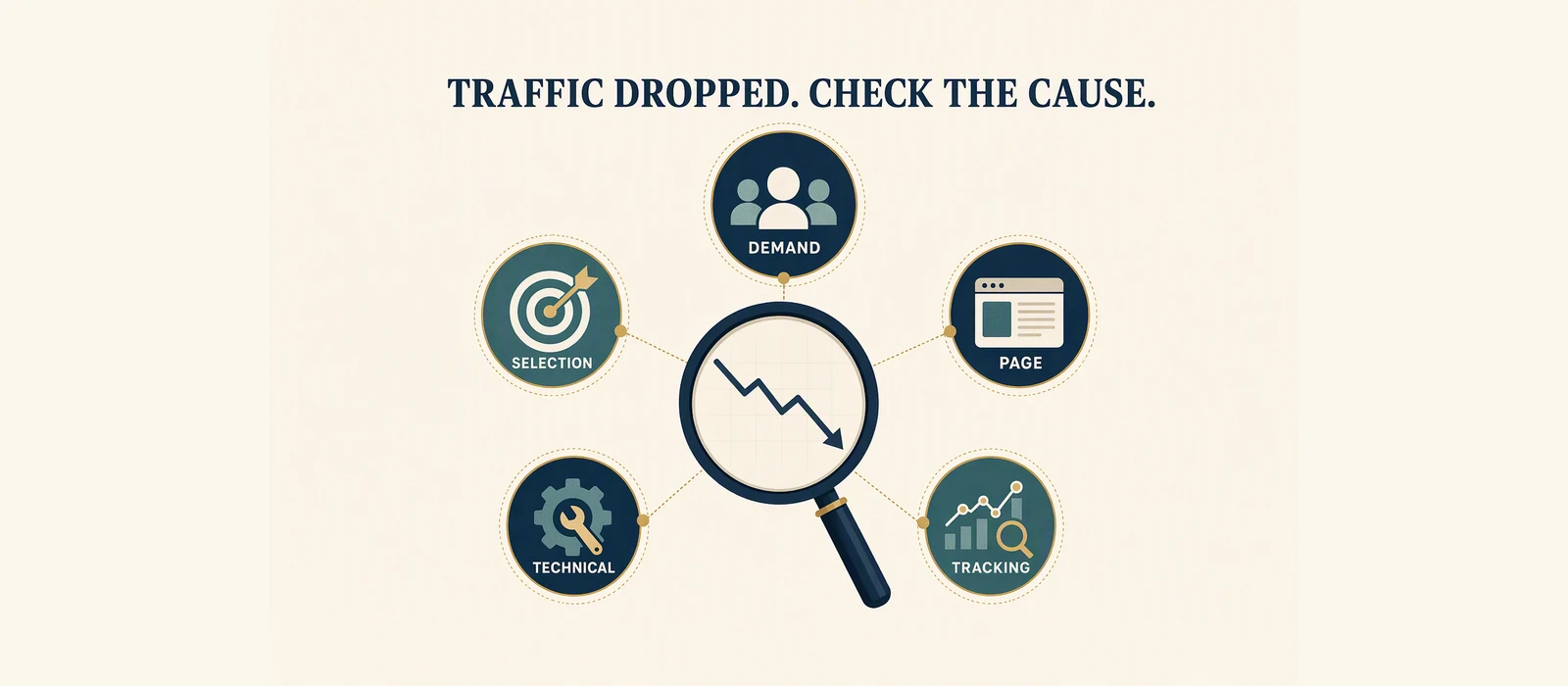
A business owner may use “traffic” to mean any of the following:
- Google Search Console clicks;
- organic sessions in an analytics platform;
- total website visits;
- visits to one page;
- form starts, calls, bookings or purchases.
The direct answer
Do not rewrite a page immediately. Define the metric, compare equal windows, separate impressions from clicks, inspect the affected page and query groups, and check technical, editorial and measurement changes before choosing refresh, consolidation, investigation or waiting.
These are not interchangeable. Search Console clicks are search-result selections. Analytics sessions depend on tracking, consent, attribution and configuration. A lead or sale is a separate business event. Put the metric name, property, date range and source at the top of your investigation.
Also check whether the drop is real across a complete period. A single day can be affected by weekends, a campaign, a tracking outage, a publishing event or a reporting delay. Compare the same number of days. If possible, compare equivalent days of the week or the same seasonal period. Do not compare a partial current week with a complete previous week and call the difference a trend.
Use impressions and clicks as separate clues
Search Console gives two especially useful signals for an initial diagnosis.
Impressions down, clicks down: The site or page was recorded less often. Ask whether the query mix changed, important URLs disappeared, demand changed, a page lost visibility, or a technical release affected access or indexing.
Impressions stable, clicks down: Visibility may be similar while selection changed. Inspect CTR, average position, query mix, result features, title and description. A lower CTR can occur when the page appears for different queries or when the result page presents more competing features.
Clicks stable, enquiries down: Search visibility may not be the immediate issue. Check page clarity, forms, phone links, booking tools, stock or availability, tracking and the quality of the landing experience.
Only one page down: Inspect that page, its canonical, redirects, internal links and recent changes before making a sitewide conclusion.
Many pages down at once: Check releases, templates, robots directives, sitemaps, hosting incidents, analytics changes and any broad change in demand. A common pattern can point to a shared cause, but it still requires verification.
A calm investigation sequence
First, preserve the evidence. Note the before and after windows, the property, filters and the affected URLs. Then compare the Pages table. This shows whether the change is concentrated in a page, a section, a query group or the whole property.
Next, inspect Queries for a representative affected page. Do not rely only on the single top query. Group the rows by intent and compare their impressions, clicks, CTR and position. A page can lose one query while gaining another, leaving the total less dramatic than the chart suggests.
Then check technical and editorial events. Was the page moved, rewritten, deleted, redirected or given a new canonical? Did a template change alter headings, links or indexability? Did a new page create a competing owner? Was the page always intended for the query it received?
Finally, look outside the property. Demand can change. Competitors can publish or improve pages. Search results can change shape. Seasonality and news can alter what people search for. These are explanations to test, not conclusions to announce from a single chart.
Your decision after this review should be one of a small number of actions: refresh, consolidate, investigate a technical issue, check measurement, or wait for a longer comparable window. Waiting is not ignoring the problem when the evidence is too noisy to justify a change.
Worked illustrative example
The V2 teaching materials include an anonymized example in which impressions fell from 2,480 to 620 between comparison windows. If the windows are equal and the filters match, that is a material change in the recorded impression signal. It is a 75% decrease in impressions for the example, but the change proves only that the two observations differ. It does not prove why.
The next questions would be:
- Did clicks fall by a similar amount, or did CTR change separately?
- Did the same page and query groups appear in both windows?
- Was the page accessible, indexable and canonicalized in both periods?
- Did a site release, redirect or content change occur between windows?
- Could seasonality, demand or result-page changes explain the difference?
If impressions fell but clicks stayed close, the interpretation is different from a case where both fell sharply. If analytics sessions fell while Search Console clicks did not, measurement or attribution deserves attention. This example is a diagnosis prompt, not a recovery opportunity or a promise of restored traffic.
Record the change before choosing the remedy
Write down what changed before choosing a remedy. A fall in clicks can follow a demand change, a page-selection change, a technical release or a measurement change; the same symptom does not identify the same cause.
What the data does not prove
A traffic decline does not prove that:
- Google issued a penalty;
- a competitor caused the loss;
- the latest content update failed;
- rewriting the page will restore the previous level;
- the entire website has lost authority;
- the drop will continue;
- the drop represents lost leads, sales or revenue;
- a short comparison window represents a durable trend.
Search movement can be confounded by demand, seasonality, competitors, device mix, location, result features, indexing changes and measurement errors. Be precise about what was observed and separate it from the explanation still being tested.
Checklist
- [ ] Define whether the drop is clicks, sessions, visits, leads or another metric.
- [ ] Confirm the property, source, filters and equal comparison windows.
- [ ] Check impressions and clicks separately in Search Console.
- [ ] Compare affected Pages and representative Queries.
- [ ] Check recent releases, redirects, canonicals, indexability and templates.
- [ ] Look for seasonality, demand change and search-result changes.
- [ ] Verify analytics and conversion tracking if business actions changed.
- [ ] Choose refresh, consolidate, investigate, measure again or wait.
- [ ] Record what remains unknown instead of filling the gap with a promise.
Optional next step
Use the free Website SEO Audit when the question is about public-page structure and clarity. If the property has usable first-party Search Console history, the Revenue-Leak Audit can organise page and query evidence for the next decision.
For a dated example of mixed Search Console movement, see the GSC audit case study.
Sources and Disclosure
This article uses dated consumer-facing evidence and clearly labelled teaching examples. Examples are directional, not forecasts or guarantees. No private client information, credentials or internal implementation details are included.
Dated guidance. No ranking, traffic or revenue guarantee.
Choose the next step
Compare the fixed-scope options or book a fit call.
Part of: Search Visibility and Audit Literacy: Read the Evidence First
See which pages lose clicks
Run the free website SEO audit to find the pages Google already shows but that earn almost no clicks, then fix the highest-impact issues first.