

On this topic
Article 6 of 14
Topic hub: Google Search Console for Small Business Ownerseditorial hub
- My Website Not Getting Traffic?planned article
- Your Website Gets Impressions but No Clicksplanned article
- Impressions, Clicks, CTR and Average Position?planned article
- a Low CTR Actually Mean?planned article
- Average Position vs Rankingplanned article
- Start here: Search Console guide (you are here)
- “
- “
- “
- “
- “
- “
- “
- “
Google Search Console can feel like a dashboard built for specialists. For a small business owner, it becomes more useful when you stop trying to read every report and start with one question: What did Google show, which pages were selected, and what should I inspect next?
Search Console can show how often your site appeared in Google Search, how often people clicked, which pages received those clicks, and which search queries were associated with the appearances. It can also expose indexing and enhancement information. It does not tell you that a page will rank, how many enquiries a click will create, or whether a change caused revenue.
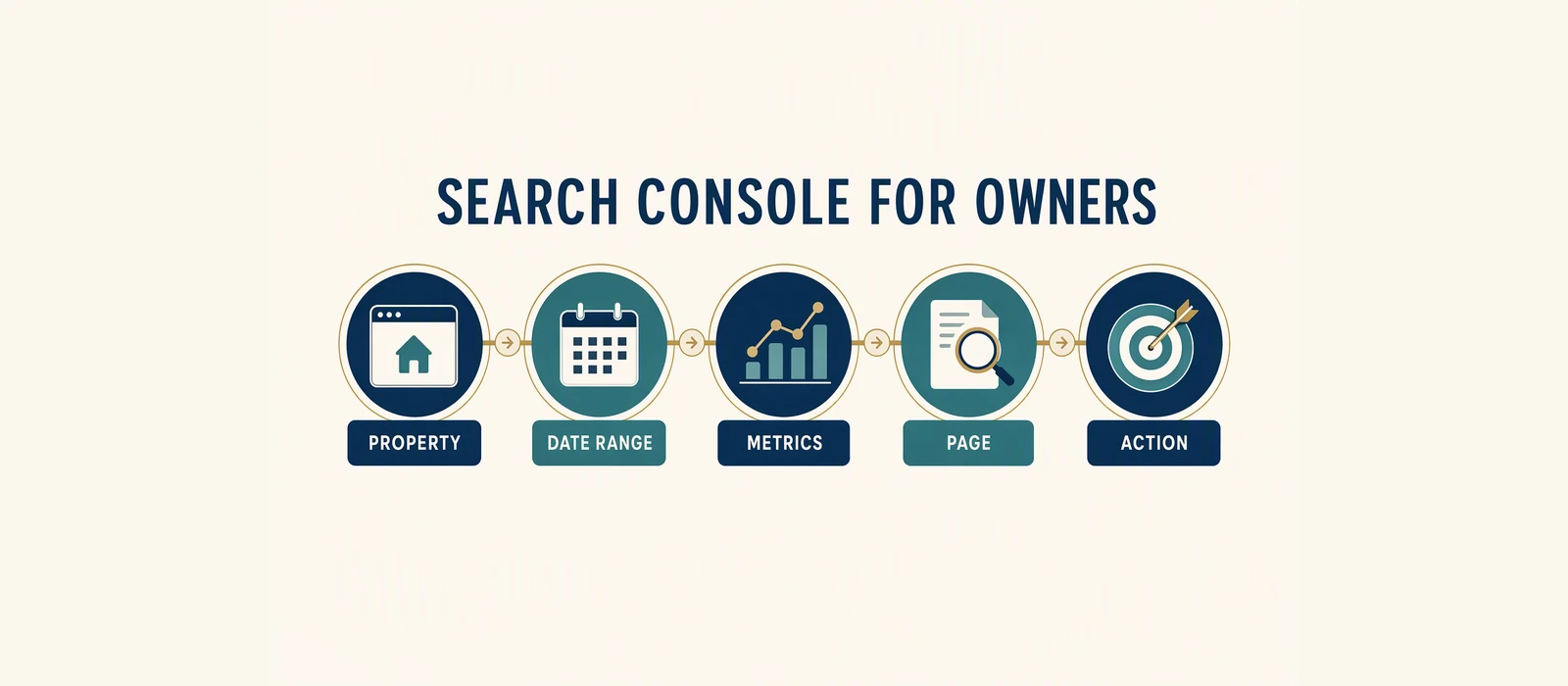
The practical starting point is Performance > Search results. Choose the correct property, set the date range, record the totals, and read five connected signals: impressions, clicks, CTR, average position, and the relationship between Pages and Queries.
The direct answer
For a small business, read Search Console in this order:
- Property: Make sure you are looking at the right domain or URL-prefix property.
- Date range: Select a complete, useful window and write down the dates.
- Totals: Record impressions, clicks, CTR and average position.
- Pages: Find the URLs that received visibility or clicks.
- Queries: Inspect the wording associated with one important page.
- Decision: Choose one page, query or technical question to investigate.
This order prevents a common mistake: treating a single number as a complete diagnosis. A business can have impressions without meaningful clicks, clicks without enquiries, or an apparently strong average position for queries that are not commercially relevant.
Five numbers in plain English
Impressions are recorded appearances in Google Search for the selected property and report settings. They describe visibility, not demand for your product and not customer interest.
Clicks are recorded selections from those search results. They are visits from Google Search, not leads, bookings or sales.
CTR, or click-through rate, is clicks divided by impressions. It helps you compare selection with visibility, but the percentage can be unstable when the impression count is small. Query mix, device, position, result features and the wording of the search all affect it.
Average position is an aggregate Search Console observation. It is not a guaranteed rank that every visitor sees. A page can have an average position based on many impressions across different searches, devices and locations.
Pages and Queries are two views of the same broad performance question. Pages show which URL appeared or received clicks. Queries show the words that were associated with those appearances. A small business needs both because the page is the asset being improved, while the query reveals the searcher’s apparent need.
A reading habit that fits a busy owner
Choose one business priority before opening the report. It might be a core service page, a location page, a product category or a guide that supports a buying decision. Then set a comparison window that is long enough to contain useful observations. Do not switch properties or date ranges halfway through the review.
Record the totals in a simple note. Next, open Pages and find the selected URL. Does it receive impressions? Does it receive clicks? Is its query mix related to the page? Then open Queries and inspect the strongest rows. Look for an answerable pattern rather than a single surprising phrase.
If the page has impressions and no clicks, inspect the result promise and query fit. If it has clicks but no business actions, the question moves beyond Search Console: is the page clear, trustworthy and easy to use? If it has very little visibility, inspect indexability, internal links, page ownership and whether the page addresses a real search need. None of these observations justifies a guarantee.
Search Console also has limits that matter to small sites. Low-volume queries may be grouped or omitted from detailed tables. A missing query is not proof that nobody searched it. A zero in a short window may simply be too little evidence. Preserve the date, filters and property in your notes so another person can understand what you saw.
Worked illustrative example
The V2 teaching materials include an anonymized sample report with 100,020 impressions and 1,875 clicks. The arithmetic gives an overall CTR of approximately 1.87% for that sample window because 1,875 divided by 100,020, multiplied by 100, is about 1.87%.
The same teaching material mentions approximately 621 recoverable clicks per month as a directional model. That figure is not a forecast, a guaranteed opportunity or a promise that a business will receive those clicks. It is useful only as a reminder that a modelled opportunity and an observed click count are different kinds of statements. The source context provided for the sample does not make it a current benchmark for every small business.
A business owner should not stop at the total. The next questions are: which pages generated the impressions, which queries generated them, and which pages were selected? A sitewide CTR can hide a strong service page, a weak article, a branded query and an unrelated query in one average. The decision should be made at the page and query level, with the date window kept visible.
Make the review repeatable
The workflow should end with a small decision record: the date window, page or query inspected, observation, interpretation, limitation and next review date. That record lets an owner compare decisions over time without treating a single dashboard view as a complete business report.
That habit turns a recurring report into a sequence of decisions rather than a monthly collection of disconnected numbers.
Keep the owner, scope and review date beside the record.
What the data does not prove
Search Console does not prove that:
- a high impression count means strong market demand;
- a high average position will produce a predictable number of clicks;
- a click is a qualified lead or buyer;
- a low CTR has one universal cause;
- an absent query has no value;
- a page with no observed query rows should be deleted;
- changing a title, link or paragraph will improve rankings;
- a change will increase traffic, enquiries, sales or revenue.
Search Console is best treated as a feedback and inspection source. It helps you ask better questions about your own property. It is not a substitute for market research, a complete analytics system, a CRM, a call record or a financial report.
Checklist
- [ ] Confirm the property you are authorized to inspect.
- [ ] Choose and record a complete date range.
- [ ] Record impressions, clicks, CTR and average position.
- [ ] Open Pages and select one important URL.
- [ ] Open Queries and check whether the wording matches the page intent.
- [ ] Note whether the next question is about selection, content, technical access or conversion.
- [ ] Keep Search Console clicks separate from leads, bookings and sales.
- [ ] Save the date, filters and decision so the next review is comparable.
Optional next step
Use the free Website SEO Audit if you want a public-page baseline. If your property has usable first-party Search Console history, review the Revenue-Leak Audit for a page and query decision.
For evidence context, see the GSC audit case study and the content leak case study.
Sources and Disclosure
This article uses dated consumer-facing evidence and clearly labelled teaching examples. Examples are directional, not forecasts or guarantees. No private client information, credentials or internal implementation details are included.
Dated guidance. No ranking, traffic or revenue guarantee.
Choose the next step
Compare the fixed-scope options or book a fit call.
Part of: Search Visibility and Audit Literacy: Read the Evidence First
See which pages lose clicks
Run the free website SEO audit to find the pages Google already shows but that earn almost no clicks, then fix the highest-impact issues first.