
Fixed scope. Clear next action.
Revenue-Leak Audit · GSA Growth
Find the pages getting seen but not chosen.
The $49 Revenue-Leak Audit uses your read-only Google Search Console data to identify where search visibility is failing to become clicks, then ranks the next actions by evidence.
The problem
Your site may be visible while your best pages remain commercially invisible.
Google can show a page without the page earning a click, a useful visit, or a business action. A crawler can also produce a long warning list without telling you what matters first.
Impressions without clicks
Search visibility exists, but the result may not match the query or earn selection.
Clicks without a clear priority
Search traffic exists, but the team does not know which page or query deserves attention first.
Too many SEO warnings
A report lists issues, but does not separate a blocker from a low-value suggestion.
What the report answers
From search signal to next decision.
Which URL owns the intent?
What did searchers see?
Where is selection weak?
What should be fixed first?
What your report can reveal
The pages, wording and paths worth your attention first.
Each finding is tied to your own observed search evidence — not a generic checklist.
Pages seen but not chosen
High-impression pages earning almost no clicks — the clearest revenue leaks in a search console audit.
Wording that may earn a better click
Draft titles, descriptions and answer-ready headlines built from the exact queries each page already earns impressions for.
Pages competing for the same demand
Two or more of your pages appearing for the same query can split attention and make the next fix unclear.
Important pages with no clear path
Pages worth ranking that lack a clear internal link from the rest of the site.
Declining pages & content decay
Pages losing impressions or clicks versus the previous period, before the drop reaches revenue.
Real-user experience when available
How the site performs for real visitors — and a clear note when data is not yet available.
Why this is different
Not another automated score.
The report keeps observed data, interpretation, recommended action and limitations separate.
Found the pattern?
See what your own Search Console data is hiding.
Get the first page, the evidence and the next action before spending on more traffic.
What you receive
Your search evidence. Your first useful fix.
Your report uses the selected search window and is usually ready in about a minute. Nothing on your website or Search Console is changed.
Pages, ranked by evidence
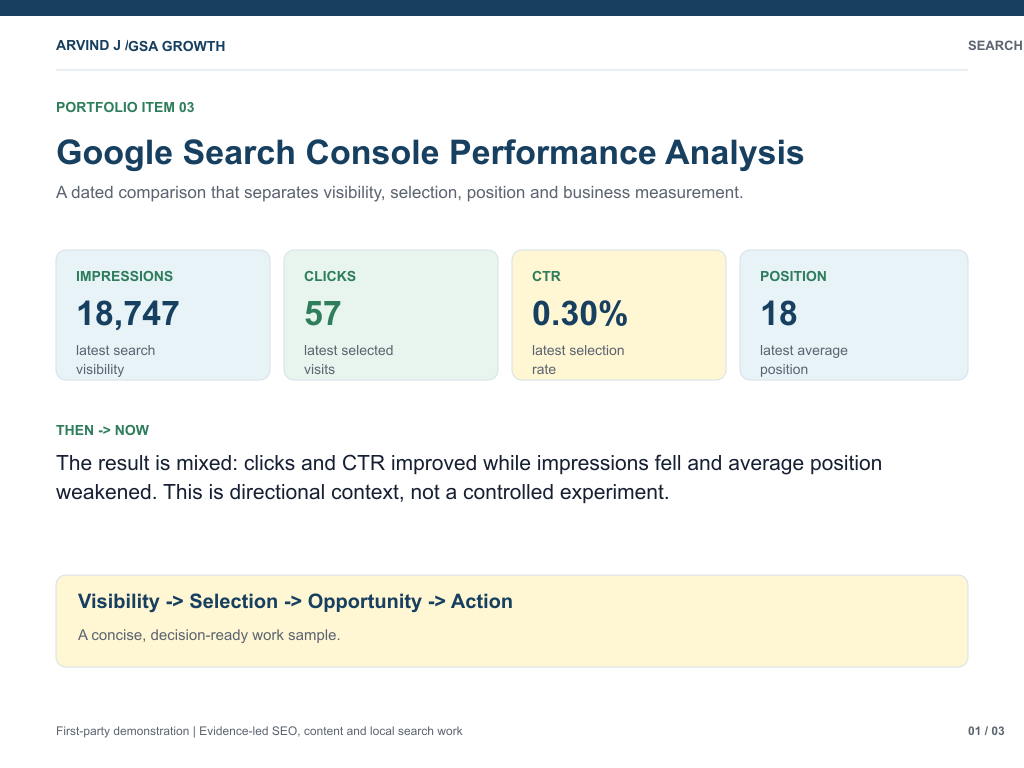
Your pages and queries with observed impressions, clicks, CTR and position — highest-priority first.
Wording drafts
Suggested titles, descriptions and answer-ready headlines for the pages that most need them.
One action per finding
What to fix first, why it matters, and a PDF-ready report of the full prioritized list.
Founder proof
See the operator behind the method.
GSA Growth combines hands-on business, ecommerce and technology work with a disciplined reporting process. The video is evidence-led and focused on the audit you are buying.
Why GSA Growth
Evidence before expansion.
GSA Growth is led by Arvind Jadli. The proof for this service is live: website audits, Search Console reports, local SEO work and content improvement reports that show the methodology and its limits.
Live proof: case studies · Search Console analysis · local SEO work · SEO services
Operator-built method
Sitewide audits, local SEO analysis, Search Console reporting and content improvement are part of the working system. See the technical SEO audit and content refresh paths when the diagnosis points there.
Platform-aware
WordPress and Shopify context is understood, so recommendations can move from evidence to a real implementation path.
No retainer trap
See the diagnosis first. There is no obligation to hire GSA for the fix after the report.
Fixed-scope diagnostic
$49 Revenue-Leak Audit
A full PDF-ready report, clear priorities and the evidence behind each finding. No website changes are made through the audit.
- The first page to fix
- The evidence behind the finding
- Why it matters and what to do next
Search Console audit report
What a useful search console audit report contains.
Most audits stop at a score. A search console audit report should tell you, in your own data, which pages deserve attention first — and why. Here is what this one covers, and how to use it.
Pages ranked by lost clicks
Every page ordered by the clicks it could be recovering — the fastest way to choose where to start.
High impressions, low CTR
Pages Google shows a lot but people skip. Usually a title or description problem, and often the quickest win.
Pages competing with each other
Two or more of your pages chasing the same demand, splitting your own strength instead of combining it.
Declining pages and content decay
Pages that used to rank and are now slipping — caught early enough to recover.
Pages with no clear internal path
Important pages that nothing on your site links to clearly. Hard for search engines to rank what they cannot reach.
Draft wording to fix it
Suggested titles, descriptions and answer-ready headlines for the pages that most need them.
Want to run this yourself first? A search console audit checklist is a sensible place to start — indexability, titles, intent match, internal links — then a proper search console audit report shows which of those actually matters on your pages. If you would rather not do it by hand, this report produces the ranked answer from your own Search Console data.
Questions
Before you connect Search Console.
Practical answers for founders, operators and teams deciding whether this is the right first SEO purchase.
What exactly do I get for $49?
You receive an automatic Revenue-Leak report built from the Google Search Console property you connect. It includes prioritized pages and queries, observed impressions, clicks, CTR and positions, why each finding matters, the recommended next action and a PDF-ready report.
Who is this for?
This is for founders, ecommerce operators, marketing teams and agencies that already have Google Search Console data but do not know which page or query deserves attention first. It is not the right first purchase for a site with no search history or for someone looking for guaranteed rankings.
What do I need before I start?
You need access to a Google Search Console property that you own or are authorized to manage, with usable search history. You do not need to provide a CMS login, website password, GA4 access or hosting access.
How quickly is the report available?
The report is generated automatically after your read-only Search Console connection is completed and the analysis finishes. The full report can be printed or saved as a PDF in the audit application.
What access do you need?
You need read-only Google Search Console access. The audit does not require access to your website, CMS, GA4 or hosting account.
Can the audit change my website or Search Console?
No. The audit cannot publish, edit or delete website content, and it cannot change your Search Console property. You can revoke the connection at any time.
How is my Google data handled?
The audit requests read-only Search Console access. Google OAuth tokens are encrypted at rest, Google data is not sold or used for advertising, and you can disconnect the account or request deletion. See the Privacy Policy for details.
What does the audit actually look for?
It finds the pages where a search console audit shows visibility that is not turning into enough clicks. The report surfaces pages with impressions but no clicks (high impressions, low CTR), page-two near-wins, declining pages and content decay, pages competing for the same query, and important pages with no clear internal path. It also shows observed answer-engine visibility (AEO) and page-experience context when data is available. Every finding connects to evidence and one recommended next action.
Is the report automated or reviewed by a person?
The $49 product is an automated self-serve diagnostic using your observed Search Console data and a consistent prioritization method. Human SEO strategy, implementation and content work are separate services.
Does it show actual lost revenue?
No. Any recoverable-click or value estimate is directional and based on disclosed assumptions. It is not a statement of actual lost revenue, a forecast or a guarantee. The reliable output is the prioritized page and query evidence with the next action.
Is this a free audit or a paid product?
The sample report, public examples and personalized preview are free to view. The full Revenue-Leak report for your own Search Console property is a one-time $49 digital product.
Does one payment unlock future audits?
No. Each payment unlocks one specific audit and its report. Previously purchased reports remain available in Diagnostic History, but a new Search Console scan requires a new payment.
Will it work for WordPress, Shopify or another platform?
Yes, provided the website has a Google Search Console property with usable data. The audit does not require access to WordPress, Shopify, a CMS or hosting.
What should I do after I receive the report?
Open Priority 1 first. Review the evidence, make the recommended change yourself or send the finding to your SEO team, then measure the next Search Console period. The report is designed to help you decide what to fix before spending on more content, links or traffic.
Can I send the report to my agency or SEO team?
Yes. The report is designed to be assigned and acted on. It gives your team the page, evidence, reason it matters and recommended next action.
What happens if my site has little or no Search Console history?
The audit needs usable first-party search data. If the property has little history, few impressions or insufficient page and query data, the report may not produce a meaningful diagnosis.
What is the refund policy?
The report is a digital product delivered automatically. If it fails to deliver or contains a material error caused by GSA, contact support@guidedsuccessacademy.com within seven days with your order reference. Successful delivery is generally non-refundable because the report and PDF-ready report are available immediately. See the Refund Policy.
Not ready to connect Search Console? Run the free Website SEO Audit for a technical baseline.