

Five Must-Have Small Business Tools for 2026
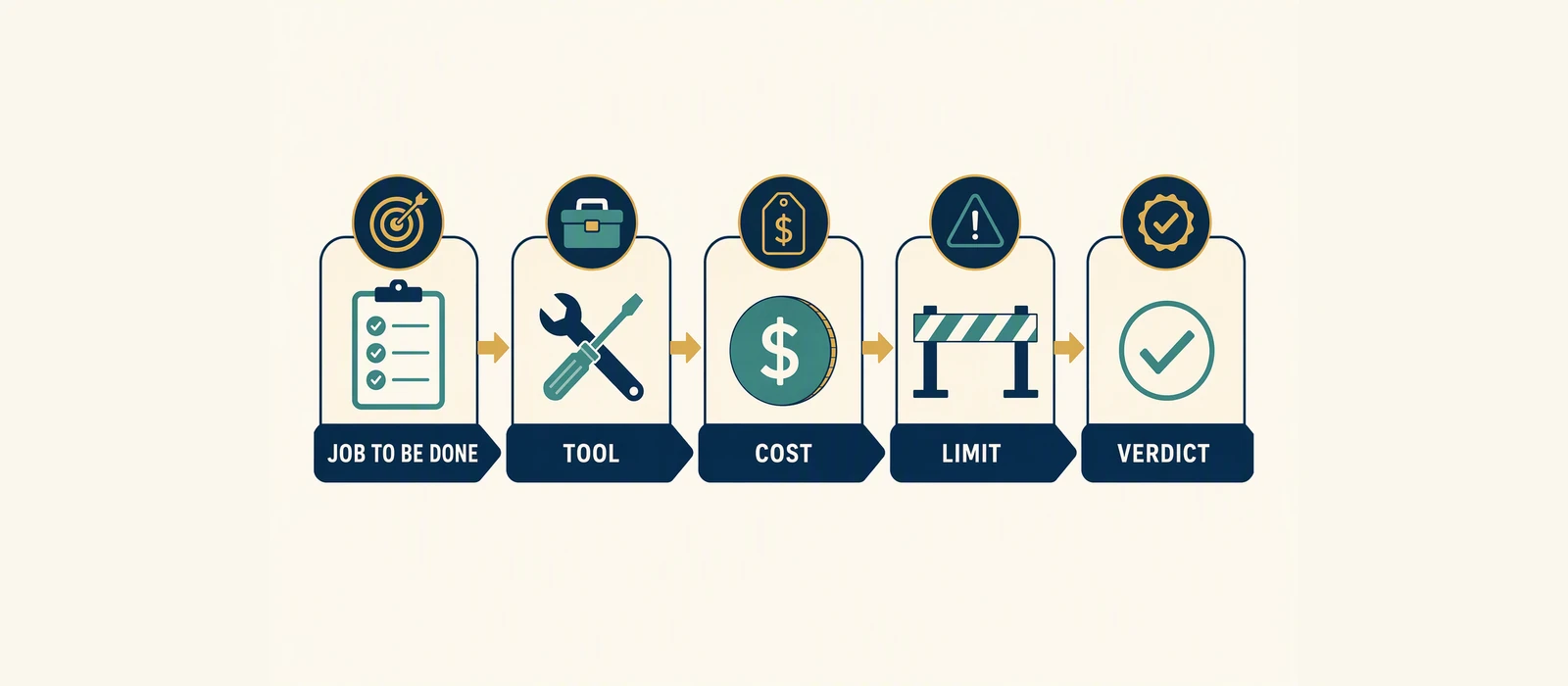
Running a business alone means every tool must justify its place. The right stack should reduce repeated work, preserve customer and payment data, and show whether effort is producing revenue. The wrong stack creates duplicate records, disconnected logins, and recurring costs that are difficult to audit.
Problem: a one-person business has too many jobs and too little time
A solo operator may be responsible for lead generation, customer support, payments, publishing, bookkeeping, reporting, and technical maintenance. Buying a separate platform for each task can appear efficient, but it often creates a fragmented operating system.
The goal is not to collect the largest possible list of small business tools. It is to create a short business stack with clear handoffs:
- A visitor can become a known contact.
- A contact can receive a relevant message.
- A customer can pay through a traceable process.
- Traffic and conversion activity can be reviewed.
- Important records remain exportable and under the owner’s control.
Journey: the five-tool operating path
A practical one-person stack follows the customer journey rather than the software category. The five tools below cover the most important stages:
- Email and contact management: capture, organize, and communicate with prospects and customers.
- Payment processing: accept and confirm payments while keeping order and settlement records.
- Market and search research: identify demand, language, and opportunities before investing in content or advertising.
- Website and publishing: maintain a credible owned destination for information, products, and conversion paths.
- Operating control: track costs, tasks, key events, and decisions in a simple owner-controlled system.
This structure applies to consulting, digital products, local services, and an ecommerce small business. The exact vendors may differ, but the data handoffs should remain understandable.
Failure Point: where most small-business stacks break
The most common failure is not a missing feature. It is a missing connection between tools. A contact may exist in an email platform, a payment may exist in a gateway dashboard, and a sale may be recorded in a spreadsheet—but nobody can confidently answer which campaign produced the sale or whether the customer received the promised follow-up.
Other failure points include:
- Paying for overlapping forms, email, automation, and analytics features.
- Allowing one employee—or one vendor account—to become the only route to business data.
- Using public feature pages as proof of business results.
- Choosing a tool because it has a free or discounted offer without checking current eligibility and terms.
- Adding automation before the underlying customer, order, and campaign fields are consistent.
Platform Ownership: Tool 1 — email and contact management
Email is the first essential layer because it turns anonymous interest into an addressable relationship. A suitable platform should support contact organization, permission-aware communication, campaign delivery, and basic reporting.
Brevo is one candidate to evaluate for this role. The official Brevo pricing page is the appropriate source for current plan structure, included limits, and any account-specific terms. Do not rely on an old comparison article for pricing or offer eligibility.
GSA first-party workflow
The GSA workflow treats email as a sequence rather than a broadcast list:
- Capture consent and the minimum useful contact information.
- Apply a meaningful source or interest label.
- Send an expected welcome or service message.
- Route the contact toward one relevant offer or next action.
- Review delivery, engagement, and downstream conversion data.
That workflow is an editorial and operational recommendation—not proof that any platform will produce a particular conversion rate. A vendor’s feature or pricing page can verify available functionality and terms, but it cannot verify your future revenue.
For a broader comparison of this category, see “.
Platform Ownership: Tool 2 — payment processing
Payments should be treated as a business system, not merely a checkout button. The owner needs a reliable path from payment initiation to confirmation, fulfillment, refund handling, and reconciliation.
PayU is the payment workflow referenced in the available GSA evidence. The recommended control pattern is:
- Create a unique order or invoice reference before payment.
- Send the buyer to the approved payment flow.
- Confirm the transaction using the gateway’s returned status or notification process.
- Record the amount, reference, customer identifier, status, and date in the operating ledger.
- Match gateway records against bank settlement and fulfillment records.
This is a GSA payment workflow, not a claim that PayU is suitable in every country, industry, or product category. Confirm supported markets, payment methods, settlement rules, fees, taxes, dispute handling, and compliance obligations directly with the provider.
Platform Ownership: Tool 3 — market and search research
Research prevents a solo operator from building content or products around assumptions. A research platform can help organize search demand, competitor observations, content opportunities, and topic priorities.
The user-provided US Semrush small-business database is the available evidence for this category. It can inform audience and market research, but it should be treated as a supplied dataset rather than universal proof. Search volume, ranking difficulty, commercial intent, and opportunity estimates can change by country, device, date, and methodology.
Use research as a prioritization input:
- Group terms by customer problem rather than publishing one page per keyword.
- Separate informational questions from buying and comparison intent.
- Validate promising topics against actual customer conversations and sales data.
- Record the date and market behind each research decision.
This is where the phrase best software tools for small business growth needs context. Software does not create growth by itself; it helps an owner test a proposition, reach an audience, and measure an outcome.
Platform Ownership: Tool 4 — website and publishing
A website is the owned layer of the stack. Social profiles and marketplace listings can provide discovery, but the business should maintain a destination where it controls core explanations, offers, contact paths, policies, and measurement.
WordPress is a practical publishing option to evaluate when the owner needs control over site content, integrations, and hosting choices. The right implementation depends on technical ability, maintenance tolerance, security requirements, and the type of offer being sold.
Before choosing a theme or site setup, define:
- The primary conversion action.
- The pages required for trust and compliance.
- The fields that must pass into email or payment systems.
- Who owns the domain, hosting, administrator accounts, and backups.
- How performance and conversion events will be measured.
For design-led site decisions, read “. A theme recommendation is not a guarantee of rankings, sales, loading speed, or accessibility; those outcomes also depend on content, configuration, hosting, and maintenance.
Platform Ownership: Tool 5 — an owner-controlled operating ledger
The fifth tool is deliberately simple: a spreadsheet or lightweight database that records the business’s key operating facts. It should not duplicate every system. Its role is to provide a concise control layer across marketing, payments, commitments, and costs.
Useful fields include:
- Customer or order reference.
- Lead source and campaign label.
- Offer, amount, currency, tax treatment, and payment status.
- Fulfillment or follow-up status.
- Recurring software cost and renewal review date.
- Last verified export or backup date.
- Decision owner and next action.
This category is often overlooked because it is not glamorous. It is also one of the most useful free tools for small business when a business is early-stage and the data volume is manageable. “Free” here describes the possibility of using an existing no-cost or already-owned tool; it does not verify a provider’s current plan, limits, or promotional terms.
Architecture: connect the tools without creating a maze
The five tools should exchange only the data needed for the next step. A simple architecture looks like this:
| Stage | System of record | Key handoff | Owner control |
|---|---|---|---|
| Discovery | Research platform | Topic, audience, market, date | Keep the research decision log |
| Visit and capture | Website | Consent, source, offer interest | Own domain, content, and admin access |
| Follow-up | Email platform | Contact ID, segment, campaign | Export contacts and document automations |
| Transaction | Payment processor | Order reference, amount, status | Reconcile gateway, bank, and fulfillment records |
| Control | Operating ledger | Cost, outcome, owner, next action | Review access, backups, and renewal dates |
These are small business technologies, but the architecture principle is the same as in a larger organization: define ownership, minimize duplicate data, and make failure visible. Avoid connecting every tool to every other tool. A controlled number of documented handoffs is easier to troubleshoot.
Cost and Control: build a budget stack before buying upgrades
Cost is more than the advertised subscription. Model the full operating burden:
- Subscription or usage fees.
- Payment processing and settlement costs.
- Hosting, domains, maintenance, and security.
- Integration or automation charges.
- Migration, training, and support time.
- Data export and exit effort.
For current Brevo terms, consult the official Brevo pricing information rather than relying on a quoted amount in this article. Public discount, free-trial, scarcity, and expiry claims are not verified here. Check current official terms, regional availability, billing conditions, and usage limits before committing.
Control questions for every vendor
- Who owns the account and recovery email?
- Can the business export contacts, orders, reports, and configuration?
- What happens if a payment, email, or integration fails?
- Can a second person access the account during an emergency?
- How will recurring charges be reviewed?
- Which claims come from official documentation, and which are vendor marketing claims?
Decision: which stack should a one-person business choose?
Choose the smallest stack that supports the next measurable business milestone. An early-stage service provider may need a website, email system, payment flow, research process, and ledger. An established store may need deeper inventory, tax, customer support, and fulfillment controls before buying more marketing software.
| Business situation | Priority | Recommended decision rule |
|---|---|---|
| Pre-revenue or validating an offer | Research, website, contact capture | Prefer low operational complexity and clear export paths |
| Service business with active leads | Email follow-up, payment collection, ledger | Measure lead-to-paid conversion and follow-up completion |
| Digital-product business | Payment confirmation, fulfillment, email segmentation | Make order status and customer access easy to reconcile |
| Growing ecommerce operation | Payment, customer records, site reliability, reporting | Do not let marketing automation replace order and refund controls |
When comparing the best software tools for small business growth, rank candidates against workflow fit, total cost, data ownership, support, integration reliability, and measurement—not feature count alone.
If email is the immediate bottleneck, review Brevo’s current official plans and terms as one candidate. Verify the details that matter to your list size, sending volume, region, and workflow before purchase.
Measurement: prove whether the stack is earning its place
Measure the handoffs, not just the activity inside each dashboard. A manageable monthly scorecard can include:
- Qualified contacts captured.
- Follow-up completion rate.
- Payment success and failed-payment counts.
- Lead-to-customer or visitor-to-order conversion.
- Refunds, disputes, and unresolved support issues.
- Revenue or contribution by source, where attribution is sufficiently reliable.
- Software cost as a percentage of relevant revenue.
- Hours saved or rework avoided through automation.
Do not treat open rates, traffic, rankings, or dashboard scores as business results on their own. Use them as diagnostic signals, then connect them to qualified conversations, completed payments, retention, or another defined outcome. Review the stack monthly, remove unused tools, and document any workflow that only one person understands.
FAQ
What are the most important small business tools for a solo operator?
Start with five functions: email and contact management, payments, market research, an owned website, and an operating ledger. The best vendor depends on location, offer type, data volume, compliance needs, and the owner’s technical capacity.
Can free tools for small business support a real operation?
They can support early validation when data volume and workflow complexity are limited. Review storage, sending, user, export, support, and automation limits before making a free or low-cost tool part of a critical process. Current promotional terms are not verified in this article.
What should an ecommerce small business connect first?
Connect the website or storefront to a payment confirmation process and an order record. Then connect customer communication and reconciliation. Marketing automation should not obscure payment status, refunds, fulfillment, or customer access.
How do I avoid buying too many small business technologies?
Write the workflow first, assign one system of record to each data type, and buy only when a manual process is causing measurable delay, error, or lost revenue. Reassess recurring costs and exportability at least monthly.
What evidence supports the recommendations in this guide?
The Brevo discussion points readers to its official pricing page for current terms. The research section uses the user-provided US Semrush small-business database. The email and payment process descriptions reflect GSA first-party workflows, including a Brevo workflow and a PayU payment workflow. Vendor pages establish what a provider states about its product; they do not guarantee performance or business results.
- Brevo pricing official; verified 2026-09-30
- GSA Microdrama Prompt Framework editorial; verified 2026-09-30
Affiliate disclosure: This article may contain sponsored affiliate links. If you purchase through one, GSA may earn a commission at no additional cost to you. Recommendations are based on fit, operational trade-offs, and publicly available evidence, not commission rates.
Related reading: Online business models compared · SEO audit guide · SEO services
Recommended Reading
Handpicked by Arvind – books that actually changed how I think about this topic.
SEO 2026: Learn Search Engine Optimization with Smart Internet Marketing Strategies
Best Hosting to Start an Online Business 2026
Tested by GSA. Best price-performance for Indian D2C stores. (Affiliate links – we earn a small commission at no extra cost to you.)
Sources & further reading: Search Engine Land
Further reading: Statista · HubSpot Blog
See which pages lose clicks
Run the free website SEO audit to find the pages Google already shows but that earn almost no clicks, then fix the highest-impact issues first.