
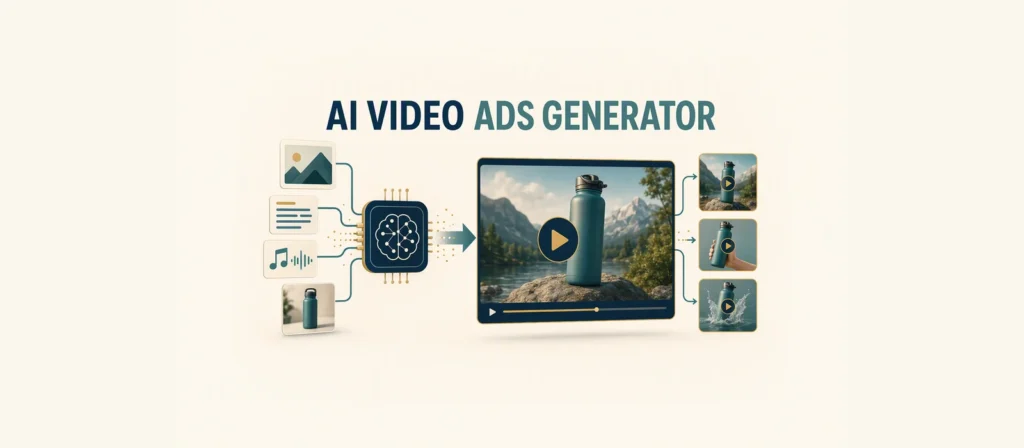
AI Video Ads Generator: Brief to Tested Creative
An ai video ads generator can shorten the path from a campaign idea to a usable video variation. It does not remove the need for positioning, rights review, platform formatting, or controlled testing. The practical question is not simply whether a model can generate footage. It is whether your team can repeatedly produce, approve, publish, and measure creative without losing control of the underlying assets.
Problem: why generating a video is not the same as making an ad
Paid video creative has several jobs at once. It must stop the scroll, communicate a specific offer, establish relevance quickly, survive muted playback, and give the viewer a reason to act. A visually impressive output can still fail if the opening frame is vague, the product is hard to identify, or the call to action arrives too late.
The production problem usually begins before prompting. A brief may contain an audience, product promise, proof point, offer, brand constraints, and destination URL, but those inputs are often not translated into shot-level decisions. An AI workflow is most useful when it turns those decisions into structured inputs rather than asking for a generic “viral ad.”
For broader tool-selection context, see GSA’s “. The production requirements for paid ads are different from long-form publishing, so treat that guide as a starting point rather than a universal ranking.
Journey: from creative brief to advertisement videos
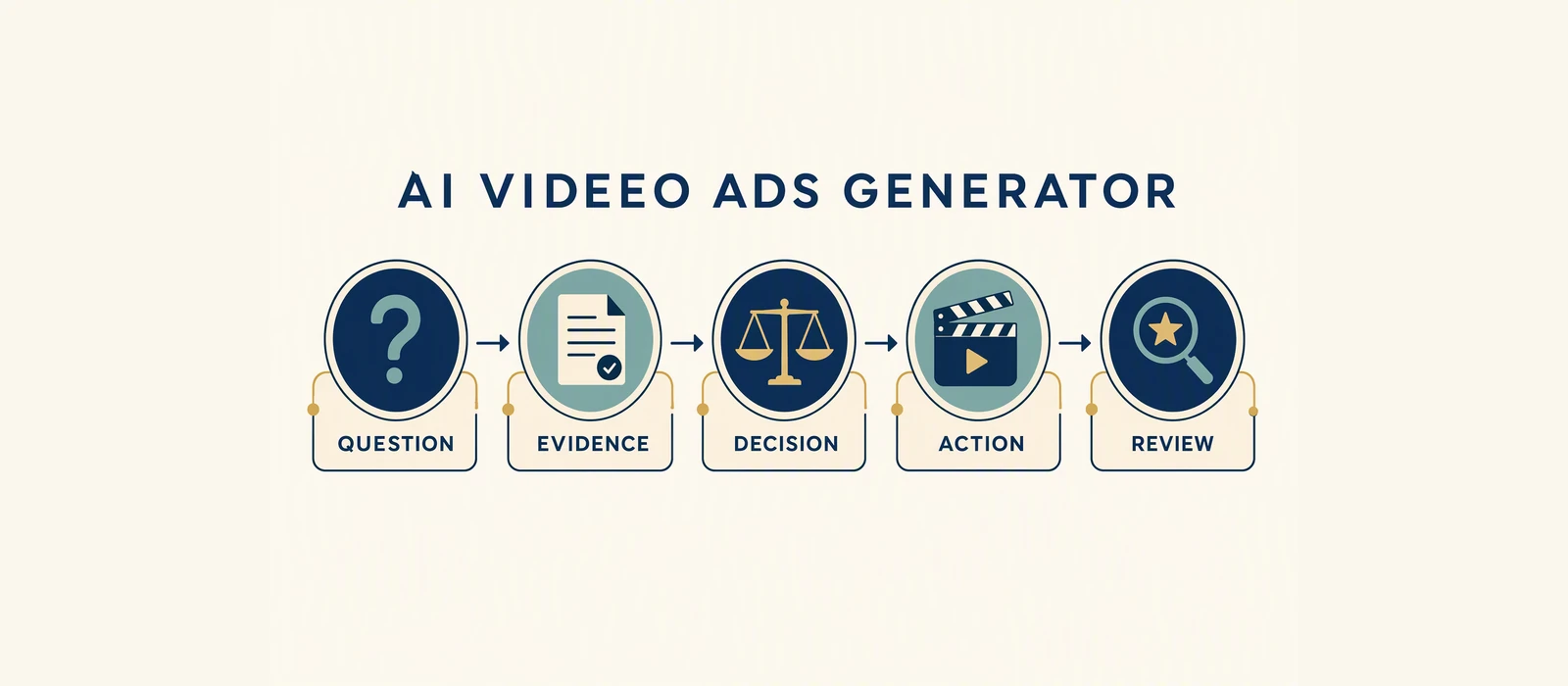
A reliable workflow turns the brief into a sequence of decisions. The following process works whether the final asset is a short vertical clip, a square feed placement, or a longer commercial cut.
1. Convert the brief into a creative contract
Write down the non-negotiable facts before opening a generator:
- Audience: who should recognize the problem or desire?
- Moment: what situation makes the message relevant now?
- Promise: what outcome can the brand substantiate?
- Proof: which demonstration, review, statistic, or mechanism supports the promise?
- Offer: what should the viewer do next?
- Restrictions: which claims, visuals, logos, people, or terms require approval?
This “creative contract” gives the model boundaries. It also gives the reviewer a checklist. If an output changes a product feature, invents a testimonial, or implies an unsupported result, it fails regardless of how polished it looks.
2. Build a shot list before writing prompts
Separate the narrative into functional shots. A basic paid-video structure might include:
- Hook: a recognizable pain point, contrast, or product moment.
- Context: enough information for the viewer to understand the situation.
- Demonstration: the product, service, or mechanism in use.
- Proof: an approved fact, visual comparison, or concrete evidence.
- Call to action: one clear next step matched to the landing page.
Do not ask a single generation to solve every shot if consistency matters. Generate or source the individual scenes, then assemble them with a deliberate edit. This approach also makes it easier to test different hooks while keeping the proof and call to action stable.
3. Use prompts as production instructions
A useful prompt specifies the subject, action, setting, framing, camera behavior, lighting, mood, duration, aspect ratio, and exclusions. It should also state what must remain unchanged. For product work, that may include packaging shape, logo placement, color, interface layout, or the order of a demonstrated action.
Prompt quality is only one part of quality control. Models may still alter text, hands, faces, product geometry, or continuity. Plan for selection, correction, and editing rather than treating the first generation as the finished advertisement.
4. Assemble a platform-ready cut
Keep the master project separate from exported placements. Create versions for the intended destination, then check captions, safe areas, opening frames, sound-off comprehension, file specifications, and the landing-page match. A social media ad creator workflow should make variation easy without forcing the team to rebuild the entire project for every placement.
For a product-focused example, review the AI product video maker and social ad workflow. It is most useful as a process reference: brief the product, create controlled scenes, assemble versions, and review the final ad in its intended placement.
Failure Point: where AI ad creative commonly breaks
Most failures occur at the handoffs between strategy, generation, editing, and media buying. The following controls address the points that are easiest to overlook.
| Failure point | What it looks like | Control to add |
|---|---|---|
| Weak brief | Attractive footage with no clear audience or action | Require an audience, promise, proof point, and CTA before generation |
| Prompt overreach | One prompt attempts to create a complete, continuous commercial | Break the concept into shots and define continuity requirements |
| Product drift | Packaging, interface, logo, or feature changes between scenes | Use approved references and inspect every product frame |
| Unsupported claims | Generated narration or on-screen text implies a result that was not approved | Lock the script and route claims through the normal review process |
| Placement mismatch | Captions, faces, or CTA are hidden by interface elements | Preview each aspect ratio and placement before launch |
| Unclear testing | Multiple variables change at the same time | Define the hypothesis and isolate the main variable |
These controls matter because an AI ad creative is still an advertising claim and a media asset. Generation speed does not change the need for brand approval, rights review, or platform compliance.
Platform Ownership: who controls the creative after generation?
Before selecting a platform, determine where the important parts of the workflow live. “Ownership” is broader than whether you can download an MP4.
Questions to ask about ownership and control
- Can you export the source project, prompts, scripts, captions, and reference files?
- Can your team recreate a winning variation if the interface changes?
- What rights and restrictions apply to generated media, uploaded assets, voices, music, and stock content?
- Can you remove or manage campaign assets when a project ends?
- Are review, approval, and version history available to the people who need them?
- Can the workflow connect to your existing storage, editing, analytics, or ad operations?
The official BytePlus ModelArk page is useful evidence for understanding how that provider describes its model platform and capabilities. It is first-party vendor documentation, not independent proof that a generated ad will perform or that a particular workflow is best for every advertiser. Confirm current model availability, usage terms, data handling, and commercial rights directly in the official documentation before committing campaign assets.
GSA’s “ provides additional process context for moving from an idea through generation and editing. Use it alongside the platform’s current terms rather than as a substitute for them.
Architecture: design the system around repeatable tests
The most dependable setup separates the creative system into layers. That makes it easier to replace a model, editor, or voice tool without losing the campaign logic.
| Layer | Purpose | Recommended control |
|---|---|---|
| Brief layer | Audience, problem, promise, proof, offer, restrictions | Store an approved brief with a version number |
| Message layer | Hooks, scripts, captions, CTAs, and claim language | Keep approved and experimental copy separate |
| Generation layer | Scenes, images, motion, narration, and references | Record prompts, model settings, dates, and input assets |
| Assembly layer | Editing, captions, sound, branding, and exports | Maintain a master project plus placement-specific versions |
| Delivery layer | Ad platform upload, naming, tracking, and approvals | Use consistent IDs that connect creative to performance data |
| Measurement layer | Exposure, engagement, conversion, and downstream quality | Define the test window and decision rule before launch |
This architecture also clarifies what an ai commercial maker should and should not own. The generator can support ideation and production, but the brand should retain the approved message, source references, review record, and final distribution decision.
Cost and Control: evaluate the whole production loop
Do not compare tools only by a visible subscription price or by the number of generation credits shown on a product page. A practical cost model includes:
- generation and rendering usage;
- editing, captioning, voice, music, and storage;
- human review and revisions;
- rights, licensing, and compliance checks;
- creative operations, naming, and version management;
- media spend used to test the resulting variations.
There is no verified public discount, free-trial, scarcity, or expiry offer to rely on here. Check the provider’s current official pricing, usage limits, commercial-use terms, cancellation rules, and data policies before purchase. If a vendor makes performance, speed, or quality claims, treat those as vendor claims unless supported by a transparent independent test.
Control has an operational cost too. A low-friction tool may be useful for rapid concept exploration, while a more structured stack may be better when several reviewers, brands, or markets need repeatable approvals. The right choice depends on the cost of rework and the consequences of an incorrect claim or unusable asset.
Decision: how to choose the best ai video generator for ads
The best ai video generator for ads is not necessarily the one with the most dramatic demo. Choose the system that matches your creative volume, review requirements, asset types, and measurement discipline.
| Workflow option | Best fit | Strength | Risk to investigate |
|---|---|---|---|
| Hosted AI video platform | Teams needing fast concept and scene generation | Shorter path from prompt to draft | Model limits, rights, continuity, and export controls |
| AI generation plus conventional editor | Advertisers needing tighter brand and placement control | Separates generation from final assembly | More handoffs, storage, and review work |
| Template-led ad system | Small businesses producing repeatable offers | Fast variation of approved layouts and copy | Creative sameness and limited visual flexibility |
| Custom or API-based pipeline | High-volume teams with technical resources | Automation, logging, and integration potential | Implementation, maintenance, and governance burden |
| Human-led production with AI assistance | High-stakes brands or complex demonstrations | Greater control over claims and continuity | Higher production time and coordination needs |
Start with a small, documented pilot. Use one approved brief, create a limited set of variations, record the inputs, and compare the workflow against your existing production method. The pilot should measure not only output quality but also time to approval, revision rate, rights clarity, and the team’s ability to reproduce the result.
When the next decision is how to turn a single concept into a sequence of connected short-form episodes, use the microdrama prompt framework. That is a different creative format, but its emphasis on continuity and structured prompting can inform serial ad testing.
Measurement: test the ad, not just the generator
Generation metrics are not advertising metrics. A platform may report render time, successful outputs, or generation volume, but those numbers do not establish that an ad improved business performance.
Define the test before launch
Write a hypothesis such as: “A problem-led opening will produce stronger qualified engagement than a product-first opening for this audience.” Then decide which element changes and which elements remain fixed. Possible test variables include:
- opening frame or first spoken line;
- problem-led versus benefit-led framing;
- demonstration order;
- caption treatment;
- voiceover, music, or sound-off edit;
- call-to-action wording;
- length or aspect ratio, where the placement supports a fair comparison.
Use a measurement ladder
| Stage | Question | Example signal |
|---|---|---|
| Attention | Did the opening earn an initial opportunity to view? | Early view or hold-rate signal |
| Comprehension | Did viewers understand the product and promise? | Qualitative review, message recall, or landing-page alignment |
| Engagement | Did the creative create meaningful interest? | Qualified clicks or completed views, interpreted in context |
| Conversion | Did the ad contribute to the intended action? | Tracked leads, purchases, or another defined conversion |
| Efficiency | Was the result economically useful? | Cost per qualified outcome and downstream value |
Do not declare a winner from a single surface-level metric. A high click rate can coexist with poor landing-page fit, while a lower-cost view may not produce qualified demand. Record audience, placement, spend, dates, attribution settings, and the exact creative version so results can be interpreted later.
FAQ
What is an AI video ads generator?
It is a tool or workflow that uses AI to help create video components for advertising, such as scripts, images, scenes, motion, voice, captions, or edits. The scope varies by platform, so verify the current official feature list and commercial-use terms.
Can AI generate a complete commercial without an editor?
It may generate a draft or assembled video, but a human review and editing stage is still important for claims, product accuracy, continuity, captions, rights, branding, and placement requirements.
Is AI-generated footage automatically safe to use in paid media?
No automatic assumption is safe. Review the provider’s current terms, the rights for uploaded and generated materials, music and voice permissions, likeness issues, brand rules, and the advertising policies of the destination platform.
How many variations should an advertiser create?
There is no universal number. Create enough variations to test a clear hypothesis while preserving review capacity and a meaningful comparison. Excessive variation can make it difficult to identify what caused a performance difference.
What evidence should I use when comparing platforms?
Separate official documentation, independent testing, user-provided market data, and vendor claims. The official BytePlus ModelArk page can document what BytePlus says about its platform. The user-provided US AI Video Ads Semrush database can inform search-intent and topic research, but it does not prove that a tool delivers better ad performance. GSA workflow material documents a recommended process, not a guaranteed result.
Bottom line
An AI video ads generator is most valuable when it becomes part of a controlled creative system: brief the message, break it into shots, generate with references, assemble for the placement, review rights and claims, and test one meaningful variable at a time. Treat vendor capability statements as claims to verify, keep your source assets and decision records organized, and judge the workflow by approved, measurable creative—not by the speed or spectacle of the first generation.
- BytePlus ModelArk official; verified 2026-09-30
Affiliate disclosure: This article may contain sponsored affiliate links. If you purchase through one, GSA may earn a commission at no additional cost to you. Recommendations are based on fit, operational trade-offs, and publicly available evidence, not commission rates.
See which pages lose clicks
Run the free website SEO audit to find the pages Google already shows but that earn almost no clicks, then fix the highest-impact issues first.